
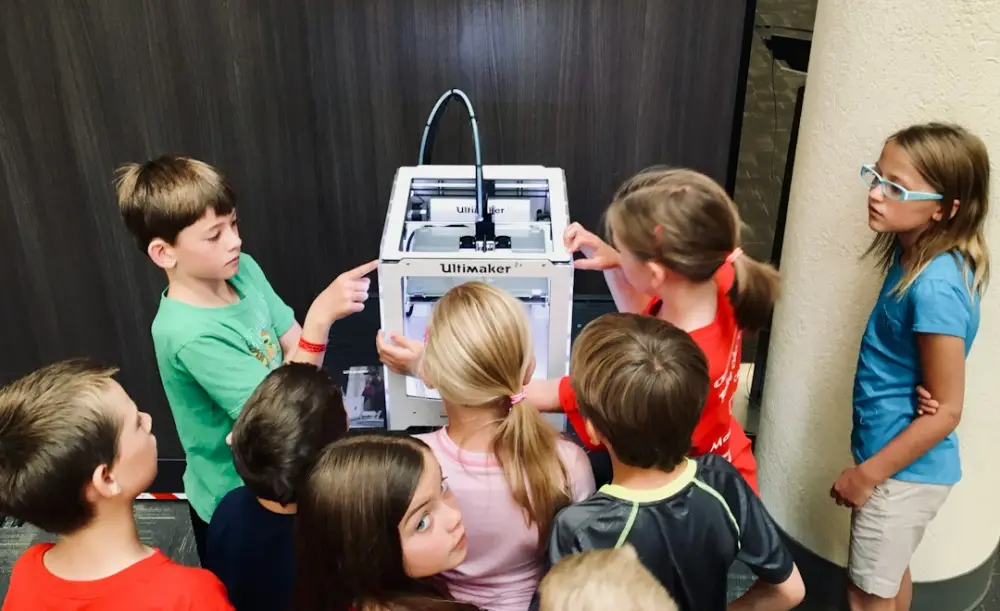
Educational robotics for children is a hands-on learning discipline that combines mechanical engineering, electronics, and computer programming through interactive play. By building and coding robots, children develop critical STEM skills, problem-solving abilities, and logical thinking. These tools translate abstract concepts into tangible experiences, making complex technology accessible and engaging for young innovators.
Moving beyond passive screen time, this field emphasizes active creation and physical experimentation. When a child constructs a device and writes a script to move it, they transition from a consumer of technology to a creator. This shift is fundamental to modern interactive learning tools that make education more than just a series of lessons, turning it into a process of discovery.
What is Educational Robotics for Children?
At its most practical level, educational robotics is the use of programmable robots to teach students from preschool through high school. It is not merely about building a toy; it is a pedagogical framework that integrates multiple subjects into a single project. A child working on a robot is simultaneously learning about physics (force and motion), mathematics (angles and distance), and logic (sequencing and loops).
In 2026, the availability of low-cost microcontrollers and modular building kits has made this discipline more accessible than ever. Unlike traditional computer science, which can feel abstract to a young mind, robotics provides immediate physical feedback. If a line of code is incorrect, the robot might hit a wall or spin in circles. This physical manifestation of logic helps children understand the "why" behind the "how," fostering a deeper level of engagement with technical subjects.
Furthermore, these tools are designed to grow with the learner. Early kits might focus on simple directional buttons, while more advanced systems introduce sensors that react to light, sound, or proximity. This scalability ensures that the challenge remains appropriate for the child’s developmental stage, preventing frustration while maintaining a high level of interest.
Core Components: Mechanics, Electronics, and Code
To understand how these tools function, it is helpful to break them down into three primary pillars: mechanics, electronics, and software. Each pillar offers a unique learning opportunity. Mechanics involves the structural build—using beams, gears, axles, and wheels to create a chassis. In this phase, children learn about structural integrity and mechanical advantage. For example, when building a robot designed to climb a ramp, a child might experiment with different gear ratios to find the right balance between speed and power.
The electronics component introduces the "senses" and "muscles" of the robot. This includes motors for movement and sensors for environmental awareness. A common project involves using an ultrasonic sensor—which works much like a bat's sonar—to measure the distance to an object. By integrating these components, children learn the basics of circuitry and how hardware interacts with the physical world. They see how a battery provides energy, how a controller processes information, and how a motor converts that information into movement.
Finally, the code acts as the "brain." This is where the child defines the robot's behavior. In an educational setting, this usually begins with visual, block-based languages that eliminate the frustration of syntax errors. Instead of typing complex strings of text, a student drags a block that says "Move Forward 10cm" and snaps it onto a block that says "When Start Pressed." This logical sequencing is the foundation of all computer science, and robotics makes it tangible.
Nurturing STEM Curiosity Through Interactive Play
Curiosity is the engine of learning, and robotics provides a fertile ground for it to thrive. When children are given a robot kit, they naturally begin to ask "What if?" What if I add another motor? What if I program it to turn when it hears a loud noise? This type of inquiry-based learning is far more effective than rote memorization because it is driven by the child’s own goals.
Interactive play allows for "productive failure." In many academic subjects, a wrong answer is simply a mistake. In robotics, a "wrong" answer is a data point. If a robot fails to navigate a maze, the child analyzes the behavior, checks the code, and tries again. This iterative process builds resilience and teaches children that failure is a necessary step in the engineering process. It is a core part of ovobots: the future of engaging, hands-on learning environments where the focus is on the journey of discovery rather than just the final result.
By engaging in these activities, children also develop spatial reasoning. They must visualize how a two-dimensional instruction on a screen will translate into a three-dimensional movement in space. This skill is highly transferable, aiding in everything from advanced mathematics to everyday tasks like navigation and assembly.
Selecting Age-Appropriate Robotics Tools
Not all robotics tools are created equal, and choosing the right one depends heavily on the child's age and cognitive development. For the youngest learners (ages 4 to 7), the focus should be on tactile, screen-free interaction. Tools like floor robots that use physical tiles or directional buttons on the robot’s back are ideal. These teach the basics of sequencing without requiring a tablet or computer, keeping the focus on the physical movement.
For children in the middle years (ages 8 to 12), modular kits that use snap-together parts and block-based coding are the standard. At this stage, children are capable of handling more complex logic, such as "if-then" statements and loops. These kits often include a variety of sensors, allowing the robot to interact with its environment in sophisticated ways. This is the age where children can begin to solve real-world problems, such as designing a robot that can sort colored blocks or navigate a complex obstacle course.
As learners move into their teenage years, they can transition to more advanced platforms that use text-based languages like Python or C++. These systems often involve more complex electronics, such as breadboards and individual components like resistors and capacitors. At this level, the robotics projects can become quite professional, involving computer vision, remote control via Wi-Fi, or even basic artificial intelligence. Organizations like NASA often provide resources and challenges for this age group to inspire the next generation of engineers.
Guiding Young Learners with Open-Ended Challenges
One of the most effective ways to use robotics is through open-ended challenges rather than step-by-step instructions. While following a manual is a good way to learn the basics of a kit, it does not necessarily teach engineering. Once a child understands how the pieces fit together, a mentor should provide a goal without a specific solution.
For example, instead of asking a child to "build the race car on page 12," a better challenge would be: "Build a vehicle that can carry a cup of water across the room without spilling it." This requires the child to think about stability, acceleration, and structural design. They might try a three-wheeled design, find it unstable, and then pivot to a four-wheeled chassis with a wider base. This type of problem-solving is where the real learning happens.
In a classroom or home setting, these challenges can be made more social. Community-based learning, where children share their designs and explain their code to others, helps solidify their understanding. It also introduces the concept of peer review and collaborative problem-solving, which are essential skills in any modern technical field.
Building a Foundation with Visual Programming
Visual programming has revolutionized how children learn to code. By removing the barrier of complex syntax—where a single missing semicolon can break an entire program—visual languages allow children to focus entirely on logic. These platforms use colorful blocks that represent different commands, such as movements, sounds, and logic gates. Because the blocks only fit together in ways that make sense grammatically, the child is guided toward successful programming by the interface itself.
This approach mirrors the way children learn spoken languages: they start with basic blocks of meaning before moving on to the complexities of grammar and spelling. In a robotics context, visual programming allows a child to quickly see the results of their logic. If they want a robot to dance when it hears music, they can easily find the "sound sensor" block and attach it to a "repeat" loop containing various movement blocks. The immediacy of this feedback loop is incredibly rewarding.
As the child becomes more proficient, many visual programming environments offer a "view code" feature, which shows the corresponding text-based code (like Javascript or Python) next to the blocks. This provides a bridge for the learner, helping them understand that the blocks they are moving are simply a visual representation of the text used by professional programmers. This transition is a vital step in developing long-term technical literacy.
For parents and educators, the goal of using these interactive learning tools is to foster a sense of agency. When a child realizes they can command a machine to perform a task, their relationship with technology changes. They are no longer just users; they are architects. At Ovobots, we believe that this sense of empowerment is the most important outcome of educational robotics. By providing tools that encourage curiosity and community, we help children navigate a world where technology is everywhere, ensuring they have the skills and the confidence to shape that world themselves.