
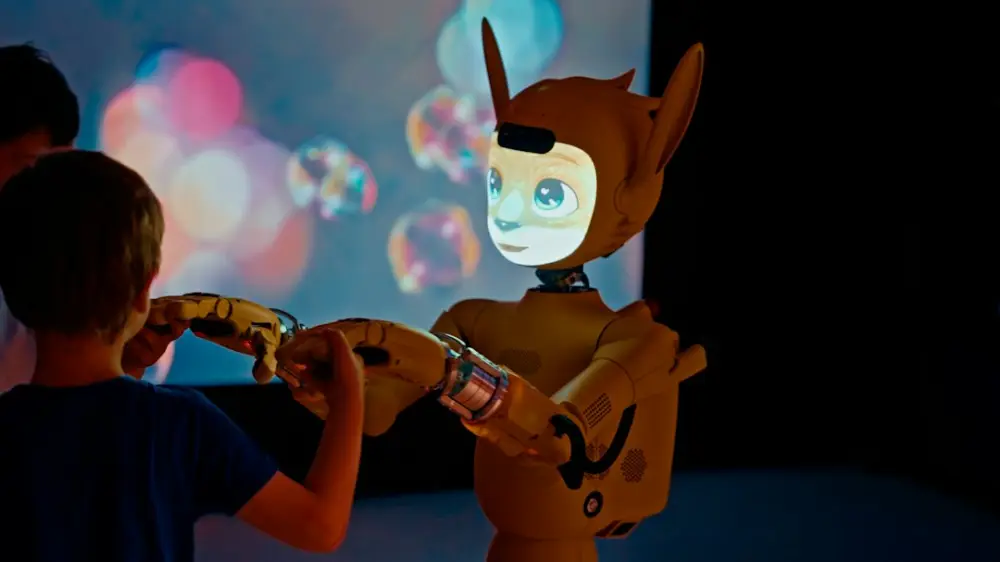
Coding toys are educational tools designed to teach children programming fundamentals through play. These devices, ranging from screen-free tactile blocks to advanced programmable robots, help kids develop critical thinking, logic, and problem-solving skills. In 2026, they serve as essential gateways to digital literacy, making complex STEM concepts accessible and engaging for all ages.
Coding toys turn screen time into hands-on building: kids test ideas, fix mistakes, and see code move real hardware. That active loop builds logic faster than passive apps alone.
Dash Robot: Interactive Logic and Movement
For a deeper look at playful robotics paths, see our robotics for children guide. The Dash robot remains a staple in 2026 due to its durability and personality. It is a mobile robot that arrives ready to use, responding to voice commands and navigating its environment with a suite of sensors. For younger children, the interface is purely visual, using a drag-and-drop system that requires no reading skills. This makes it an ideal entry point for five- and six-year-olds who are just beginning to grasp the concept of sequences.
As children progress, Dash supports more complex logic through the Blockly app. They can program the robot to perform multi-step tasks, such as clearing a room of blocks or playing a song on its xylophone attachment. The hardware is robust enough to survive the occasional tumble, and the internal battery life has seen significant improvements in recent models, allowing for extended play sessions without constant recharging.
Sphero BOLT+: Advanced Sensors and JavaScript
For children who have outgrown basic directional coding, the Sphero BOLT+ offers a sophisticated platform for experimentation. Encased in a clear, waterproof shell, this robotic ball features an 8x8 LED matrix that can be programmed to display animations, scrolling text, or real-time data. It is particularly useful for teaching the physics of motion, as it includes an infrared sensor, compass, and light sensor.
The BOLT+ is highly versatile because it supports three levels of programming: Draw, Blocks, and Text. Advanced users can write actual JavaScript code to control the robot’s movements and reactions. This transition from visual blocks to text-based syntax is a critical milestone in a child's coding journey, and the Sphero ecosystem manages this hand-off with a clean, intuitive interface that mimics professional development environments.
LEGO Education Spike Prime: Engineering and Python
LEGO has long been the gold standard for tactile learning, and the Spike Prime set continues this tradition in 2026. This kit combines the classic building experience with a powerful multi-port Hub, motors, and high-accuracy sensors. It is designed specifically for middle school students but is accessible enough for younger builders with adult supervision. The set includes over 500 elements, allowing for near-infinite mechanical configurations.
What sets Spike Prime apart is its focus on engineering alongside coding. Students don't just program a static device; they build the grabbers, gears, and chassis that the code will eventually control. In 2026, the integration with Python is more seamless than ever, allowing students to see the direct relationship between a line of code and a mechanical action. This hands-on approach demystifies how industrial robots and automated systems function in the real world.
Botley 2.0: Screen-Free Logic for Beginners
For parents concerned about excessive screen time, Botley 2.0 offers a 100% screen-free experience. The robot is controlled via a remote programmer, where children input a sequence of commands. Botley can detect objects, follow black lines, and even perform "hidden" tricks like acting like a police car or a dinosaur when specific codes are entered. It is a pure exercise in logic and spatial awareness.
The simplicity of Botley is its greatest strength. Without the distraction of a tablet or smartphone, children focus entirely on the physical robot and the sequence of moves required to reach a goal. The 2026 edition includes expanded memory for longer sequences and improved night-vision sensors, making it a reliable tool for teaching the fundamentals of if-then logic to children as young as four.
Osmo Coding Starter Kit: Tangible Block Programming
Osmo bridges the gap between physical play and digital feedback. By using a reflector over a tablet’s camera, the system "sees" physical blocks placed on the table in front of it. Children arrange these blocks—representing commands like move, jump, and loop—to guide a character named Awbie through a digital world. This tactile feedback is essential for younger learners who benefit from touching and moving physical objects.
The Osmo system is highly modular. Once a child masters the basic Coding Awbie set, they can move on to Coding Jam (which focuses on musical patterns) and Coding Duo (which introduces collaborative problem-solving). These interactive learning tools that make education feel like a shared adventure rather than a solitary task. The physical nature of the blocks also makes it easier for siblings or friends to play together, turning coding into a social activity.
Artie Max: Creative Coding through Drawing
Artie Max targets the intersection of STEM and the arts. Instead of just moving around a room, this robot holds a marker and draws geometric shapes or complex patterns on paper as it follows the code. It supports several languages, including Blockly, Snap!, JavaScript, and Python. This "draw what you code" mechanic provides immediate, visual proof of whether the logic is correct.
In 2026, Artie Max features improved line precision and a built-in Wi-Fi hotspot, meaning it doesn't require a home internet connection to function. It is an excellent tool for children who might be intimidated by traditional computer science but love drawing and design. By turning code into art, the robot makes abstract mathematical concepts like angles and coordinates feel practical and rewarding.
Kano Computer Kits: Building Custom Hardware
Kano takes a different approach by asking children to build the computer before they start coding on it. The kit includes a transparent case, a single-board computer, and a variety of plug-and-play components like lights and sensors. Once assembled, the Kano OS guides the user through a series of challenges that teach them how to manipulate the hardware using code. It is an end-to-end lesson in how modern electronics are constructed.
The 2026 kits have evolved to focus on the "Internet of Things" (IoT), showing kids how to create smart home devices or weather stations. This gives the coding a sense of purpose beyond the screen. When a child writes a script that turns on a light when the sun goes down, they are seeing the tangible utility of programming. It fosters a sense of agency, teaching them that they can build and control the tools they use every day.
Where to Begin with Your Child's Coding Adventure
- Start by identifying whether your child prefers tactile, screen-free logic or mechanical construction so the toy matches their play style.
- The first step is to set up a flat maker space where robots can move freely and sensors work reliably.
- To begin, guide a simple point-to-point challenge using the fewest commands possible, then debug one intentional mistake together.
- Next, explore companion apps or community challenges to keep sessions fresh through the month.
Choosing the right coding toy depends on a child’s interests and how they like to learn. At Ovobots, we treat play and education as the same activity—curiosity, retries, and small wins build digital literacy that lasts beyond any single device.